Service
Mobile App Development
End-to-end product delivery for Flutter, Android, and iOS experiences with production-ready architecture.
11+ years building
mobile products that create impact
Creating powerful mobile experiences that solve real-world problems through thoughtful design, seamless performance, and reliable engineering.
(01) Featured Projects
A few products I've worked on — from white-labeled SDKs to consumer apps. Real problems. Real impact.
01 / 04
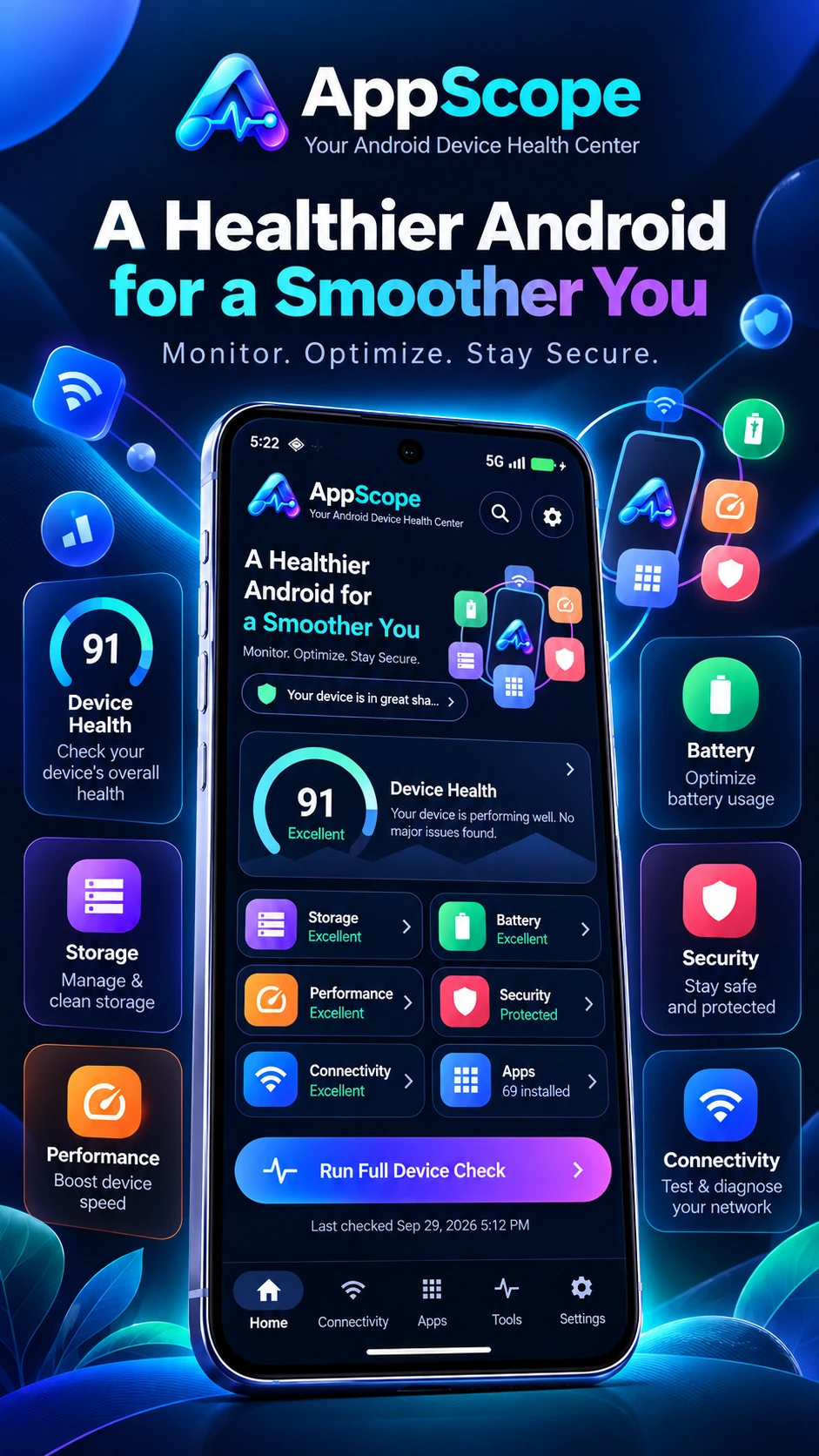
Android Utilities
Your Android device health center — a single place to monitor battery, storage, performance, connectivity and security at a glance.
Live
Published and maintained on Google Play
4
Device health signals unified in one score
1
Dashboard replacing several single-purpose utility apps
ServicesWhat I Offer
Service
End-to-end product delivery for Flutter, Android, and iOS experiences with production-ready architecture.
Service
Flow audits, wireframes, prototype direction, and interaction improvements that remove friction.
Service
Crash reduction, startup optimization, rendering cleanup, and release hardening for existing apps.
Service
Technical direction, roadmap input, architecture review, and delivery planning for ambitious product teams.
JourneyExperience
A timeline of my professional journey — building products, leading teams, and architecting scalable mobile solutions.
2022 — Present
Greater Chennai Area
Aug 2026 - Present · 1 mo
Full-time · 3 yrs 11 mos total
2022
Jan 2022 - Oct 2022 · 10 mos
Full-time · 10 mos total
2015 — 2022
May 2017 - Jan 2022 · 4 yrs 9 mos
Full-time · 6 yrs 10 mos total
ProcessHow I Work

“The owl doesn't rush the night, yet it always reaches its destination. Because clarity, patience and precisionnever fail.”
Focus • Discipline • Precision • Purpose
I understand the problem deeply, question the assumptions and design solutions that truly fit.
Every line of code is written with intention — clean, scalable, maintainable.
I respect time, plan ahead and build with consistency to ensure predictable delivery.
Quality isn’t an option, it’s a promise. I test, refine and perfect until it meets the highest standard.
I don't just build software. I build trust through every release.
Discover
Understand deeply
Plan
Architect smartly
Build
Code with precision
Verify
Test beyond limits
Deliver
Release with confidence
StackTechnologies
I work with modern tools and technologies to design, build and ship high-quality mobile and web products. Here’s the stack I use across different areas.
Building fast, reliable and user-friendly mobile apps for Android and iOS with modern architecture.
Tech I work with
Why this stack?
These tools help me build scalable, maintainable and high-quality apps that users love.
22+
Tools on radar
Across 6 categories
10+ Years
Hands-on experience
Building real products
6
Technology areas
From mobile to AI
50K+
Total downloads
Shipped & maintained
I choose tools not because they are trendy, but because they help me build better products.
Modern & Scalable
Clean architecture and best practices.
Real-world Experience
Used in production apps.
Continuously Learning
Exploring new tools and technologies.
GitHubLive Activity
Code, contribute, and build things that make a difference.
Upcoming
Apps I'm actively building outside client work — each one solving a problem I've run into myself.
Real Problems
User Focus
Modern Tech
Continuous Learning
CookNest
South Indian Recipes
A recipe app collecting authentic South Indian dishes with step-by-step instructions, designed for offline cooking without ads getting in the way.
Mozhiva
Tamil & English Word Puzzle
A bilingual word puzzle game for Tamil and English speakers, built to make vocabulary practice feel like a daily game rather than a chore.
DocNest
Smart Document Scanner
A document scanner focused on clean edge detection and fast export, aimed at the everyday paperwork most scanner apps make more complicated than it needs to be.
More ideas on the way...
Want to hear when one of these ships, or have a problem worth solving together?
WritingBlog & Articles
Apr 26, 2026
Offline-first local storage with a clean repository pattern How I built a fast, privacy-first personal admin app without a backend. The Problem Most apps today rely heavily on APIs and cloud storage. But in real-world scenarios: Users expect instant loading Internet is not always reliable Privacy concerns are increasing While building my app LifeOS — Smart Life Admin , I wanted: ⚡ Fast performance 🔒 Complete privacy 📶 Offline-first experience That’s when I chose Hive as my local database. This article shows exactly how I use Hive in my app, from initialization to CRUD operations, with a structure you can copy into your own Flutter project. Why Hive? Hive is a key-value database written in pure Dart. For my use case, it gave me: very simple setup strong performance for local data clean integration with Flutter no SQL boilerplate If your app stores structured local data and does not need complex SQL joins, Hive is a great choice. What is LifeOS? LifeOS is a smart personal admin app to manage: Bills Subscriptions Tasks Reminders My App Structure I keep database logic in a repository so UI and state management stay clean. main.dart initializes Hive AppRepository opens boxes and performs read/write/delete each model (BillItem, SubscriptionItem, TaskItem) handles serialization with toMap() / fromMap() This keeps storage concerns in one place. 1) Initialize Hive at Startup In main(), initialize Flutter bindings first, then Hive, then create the repository. Future<void> main() async { WidgetsFlutterBinding.ensureInitialized(); await Hive.initFlutter(); final repository = await AppRepository.create(); runApp( ProviderScope( overrides: [appRepositoryProvider.overrideWithValue(repository)], child: const LifeOsApp(), ), ); } Why this matters: boxes must be available before UI starts reading data. 2) Open Boxes per Feature Domain Inside my repository: class AppRepository { AppRepository._(this._billsBox, this._subscriptionsBox, this._tasksBox); final Box<dynamic> _billsBox; final Box<dynamic> _subscriptionsBox; final Box<dynamic> _tasksBox; static Future<AppRepository> create() async { final bills = await Hive.openBox<dynamic>('bills_box'); final subscriptions = await Hive.openBox<dynamic>('subscriptions_box'); final tasks = await Hive.openBox<dynamic>('tasks_box'); return AppRepository._(bills, subscriptions, tasks); } } I split boxes by feature. This keeps data organized and easier to maintain. 3) Serialize Models with toMap() and fromMap() I store maps in Hive, then rebuild typed models when reading. Map<String, dynamic> toMap() => { 'id': id, 'name': name, 'amount': amount, 'dueDate': dueDate.toIso8601String(), }; factory BillItem.fromMap(Map<dynamic, dynamic> map) { return BillItem( id: map['id'] as String, name: map['name'] as String, amount: (map['amount'] as num).toDouble(), dueDate: DateTime.parse(map['dueDate'] as String), ); } Tip: store DateTime as ISO strings (toIso8601String) and parse on read. 4) CRUD Operations in Repository Save Future<void> saveBill(BillItem bill) => _billsBox.put(bill.id, bill.toMap()); Load List<BillItem> loadBills() { return _billsBox.values .map((v) => BillItem.fromMap(Map<dynamic, dynamic>.from(v as Map))) .toList(); } Delete Future<void> deleteBill(String id) => _billsBox.delete(id); I use the model id as the Hive key. That makes updates and deletes straightforward. 5) Connect Repository to App State I inject repository once at app startup and use it from my state layer (Riverpod). This avoids direct Hive calls from widgets. Result: cleaner UI code testable data layer easier future migration if storage changes Common Mistakes I Avoided Not calling WidgetsFlutterBinding.ensureInitialized() before async setup. Opening boxes in many places instead of one repository factory. Mixing raw maps and model objects in UI code. Forgetting type-safe conversion when reading from dynamic. When to Use Hive (and When Not To) Use Hive when: you need local/offline app data data model is moderate and structured you want quick setup When NOT to Use Hive Avoid Hive if: You need complex relational queries You have very large datasets You need multi-user sync Final Thoughts Hive helped me ship a fast, offline-friendly Flutter app with minimal complexity. The biggest win was combining Hive with a repository layer and model serialization. If you are building a task, finance, habit, or utility app, this pattern is a practical starting point. Part 2 (Coming Soon) In Part 2, I’ll cover: Using TypeAdapters for stronger type safety and better performance Handling schema changes with simple migration strategies Writing unit tests for a Hive-powered repository in Flutter Avoiding common production issues (box versioning, fallback values, data cleanup)
Read on MediumApr 24, 2026
Built AppScope — an Android app that helps users understand what’s taking up storage on their phone. Smartphones are powerful, but one problem never really goes away: storage fills up fast. Photos, videos, social apps, games, cached files, downloads, and app data all grow quietly in the background until the device starts slowing down or showing the dreaded “Storage Almost Full” warning. That problem inspired me to build AppScope — a clean Android utility that helps users quickly understand which apps are using the most storage, how that storage is divided between App / Data / Cache, and what actions they can take to reclaim space. Why I Built It Most users don’t want technical details. They want simple answers to questions like: Which apps are taking the most space? How much of that is actual app size vs data vs cache? Can I free some space without uninstalling the app? Which apps should I look at first? AppScope was designed to answer those questions with a simple, visual, and fast experience. What AppScope Does At its core, AppScope is a storage analyzer for installed apps on Android. It helps users: View installed apps ranked by storage usage Understand the storage breakdown of each app See total device storage usage in a visual way Spot heavy apps and large cache usage Take quick actions such as: Open app Clear cache through system settings Uninstall app The goal is simple: make storage management less confusing and more useful for everyday users. Key Features Installed Apps by Storage Usage The home screen focuses on the most important information first. Users can: Search for apps instantly Sort apps by size or name Filter by app type View the top storage-consuming apps with progress indicators See a modern storage overview card with a visual chart Instead of overwhelming the screen with raw numbers, the design highlights the largest storage consumers first. 2. Storage Overview A dedicated storage card shows: Total storage used Total device capacity A visual chart representing storage usage A quick breakdown of space categories This gives users immediate context before they dive into app-level details. 3. Storage Breakdown AppScope separates usage into three categories: App (APK) — installed application files Data — user data, settings, files, and accounts Cache — temporary files that may be cleared This is especially important because many users assume an app’s size is only the app binary, when in reality data and cache can grow much larger over time. 4. App Details Screen Each app has a dedicated details view showing: App icon and package information Total storage used Donut chart for storage distribution Breakdown rows for App / Data / Cache Version Install date Last updated date Smart insights Quick action buttons The details screen was designed to feel like a focused dashboard rather than a system settings page. 5. Smart Insights To make the app more useful, AppScope includes lightweight rules such as: Flagging heavy apps Detecting large cache usage Suggesting space-saving actions For example: “This app is using high storage” “Clear cache to free space” These insights are intentionally simple so users can act quickly without needing technical knowledge. Design Goals From the beginning, I wanted AppScope to feel: Fast Minimal Readable Useful without internet Friendly for non-technical users The UI uses large numbers, clear labels, and color-coded categories: Blue for App Green for Data Orange for Cache The latest iteration also uses a darker visual theme with bold cards and chart-based summaries to make the information feel more modern and easier to scan. Technical Approach AppScope is built as a native Android app using a modern Android stack. Architecture The app follows a simple layered structure: Repository layer for system and package data access ViewModels for state management Compose UI for the interface Coroutines + Flows for async and reactive updates This keeps the UI clean and makes it easier to progressively load app information without blocking the main thread. Data Sources To get app storage information, the app uses Android system APIs such as: PackageManager for installed apps and metadata StorageStatsManager for app/data/cache bytes DataStore for settings persistence This allows AppScope to provide real installed-app information rather than static sample content. Progressive Loading One important part of the experience is that the app does not wait for everything before showing the UI. Instead, it progressively loads app storage information and updates the screen as data becomes available. This makes the app feel much faster, especially on devices with many installed apps. Privacy and Offline-First Thinking One of the strongest ideas behind AppScope is that it should work offline and avoid unnecessary data collection. This is not a cloud service. It is a device utility. That means: App data stays on the device No internet is required for core features The app focuses on system-level information already available on Android That makes it more trustworthy for users who simply want to manage storage without sharing personal information. Challenges While Building It Like many Android utilities, this project had a few practical challenges: Permission Handling Some storage-related details require access through Android system permission flows. That means the app has to guide users clearly and handle denied states gracefully. Large App Lists On devices with a lot of apps installed, performance matters. The app had to support: Smooth scrolling Progressive updates Efficient UI state handling Low memory overhead Making Technical Data Understandable The raw information from Android APIs is useful, but not always friendly. A big part of the work is converting system-level data into something that feels obvious and actionable for real users. AppScope is trying to do something simpler: show the right information, visually, and make the next action obvious. That means the app focuses on clarity over complexity. There are still a lot of improvements that can make AppScope even better, including: Better usage insights for recently used and unused apps More detailed storage analytics Improved app comparison views Better onboarding for permissions Polished charts and animations Export or summary reporting More customization in filtering and sorting The foundation is now in place, and the next step is refining the experience even further. Final Thoughts Building AppScope has been a reminder that even a small utility app can solve a very real problem. Storage management is something almost every smartphone user deals with, but the experience is often frustrating and unclear. AppScope is my attempt to make it simple, visual, and actually helpful. If you’ve ever wanted a cleaner way to understand what’s really taking up space on an Android device, that’s exactly what this app is built for. AppScope is not about doing everything. It’s about helping users see the problem clearly — and take action fast.
Read on MediumApr 20, 2026
How I packaged a Python automation tool as a standalone CLI that works like the android command The Problem Every Android developer knows the drill. New machine, new teammate, new CI environment — and you’re back to manually configuring the Android SDK, creating projects from scratch, and running android info to double-check everything is wired up correctly. I wanted a CLI tool that behaved like the android command itself: install once, run anywhere, no runtime dependencies. The catch? The logic was already written in Python. What the Agent Does The android-bootstrap-agent is a thin automation layer on top of the android CLI. It wraps four workflows into a single command: android-bootstrap-agent start # Full flow: check, create, verify android-bootstrap-agent create # Create project if missing android-bootstrap-agent verify # Verify existing project android-bootstrap-agent info # Check Android CLI environment Under the hood it: Checks that android — version succeeds Runs android info to validate SDK environment Optionally installs SDK packages via android sdk install Creates a project with android create <template> --name=... --output=... Verifies with android describe --project_dir=... The entire agent is a single Python file with zero third-party dependencies — only the standard library. The Architecture The agent is built around three clean pieces: AgentConfig — a dataclass holding all runtime configuration: @dataclass class AgentConfig: app_name: str = "My App" template: str = "empty-activity" output_dir: str = "./my-app" min_sdk: int = 24 create_on_start: bool = True overwrite_if_exists: bool = False timeout_sec: int = 120 required_sdk_packages: List[str] = None AndroidBootstrapAgent — the agent class with one method per workflow. Each method composes the lower-level _run_cmd, _ensure_android_cli, and _ensure_environment helpers. build_parser() — a standard argparse setup using subcommands and a shared common parent parser, so every command gets the same base flags: subparsers.add_parser("start", parents=[common]) subparsers.add_parser("create", parents=[common]) subparsers.add_parser("verify", parents=[common]) subparsers.add_parser("info", parents=[common]) This mirrors how the android CLI itself is structured. Making it Standalone — No Python Required The trick is PyInstaller. It bundles the Python interpreter and your script into a single native executable. pip install pyinstaller pyinstaller --onefile --name android-bootstrap-agent android_bootstrap_agent.py The result is a standalone binary in dist that runs on any machine of the same OS — no Python, no pip, no virtual environments. For a repeatable build I created a build.spec file instead of relying on CLI flags. This makes the build reproducible and easy to add to CI later. The Cross-Platform Reality This is the part most tutorials skip. PyInstaller does not cross-compile. The binary you build on Windows runs on Windows. The binary you build on Linux runs on Linux. The solution is a universal portable package: android-bootstrap-agent-universal/ ├── bin/ │ ├── windows-x64/ │ │ └── android-bootstrap-agent.exe │ ├── linux-x64/ │ │ └── android-bootstrap-agent │ └── macos-arm64/ │ └── android-bootstrap-agent ├── install.ps1 ← Windows installer ├── install.sh ← Linux/macOS installer └── README.md One zip file, one installer script per platform. The scripts handle PATH setup automatically. Windows (install.ps1): # Default: installs to user AppData, no admin needed .\install.ps1 # System-wide (requires admin shell) .\install.ps1 -Machine Linux/macOS (install.sh): chmod +x install.sh ./install.sh # Installs to ~/.local/bin and prints PATH guidance if needed After install, open a new terminal: android-bootstrap-agent --version # android-agent 0.1.0 Key Design Decisions No third-party libraries. The agent uses only argparse, subprocess, pathlib, and dataclasses. This keeps the binary small (~8 MB) and the build trivial. Fail fast with clear messages. Every subprocess failure raises an AgentError with a human-readable message. The __main__ block catches it and exits with code 1, making this CI-friendly. Idempotent by default. Running start twice on the same directory detects the existing project and skips creation — it won’t wipe your work unless you explicitly pass — overwrite-if-exists. Common parent parser. Using parents=[common] in argparse means all subcommands automatically inherit --app-name, --output-dir, --min-sdk, and the rest. No duplication, no drift. Running It # Check environment android-bootstrap-agent info # Full flow android-bootstrap-agent start --app-name "My App" --output-dir ./my-app # Create with a specific SDK package android-bootstrap-agent create \ --app-name "My App" \ --output-dir ./my-app \ --min-sdk 30 \ --sdk-package platforms/android-34 # Verify an existing project android-bootstrap-agent verify --output-dir ./my-app The Takeaway Packaging a Python CLI as a standalone binary is underrated. Your users get a clean install experience with no runtime dependencies, and you keep all the ergonomics of Python for writing the logic itself. PyInstaller handles the hard part. The extra step of building a universal package with platform-aware install scripts takes less than an hour and makes the tool genuinely portable — the same experience on every machine, every OS.
Read on Medium CoinSprig
 Deyvra
 AppScope
 Bambli
 NEXLoan
 KuralDeepam - Thirukkural
 PanbuMozhi – ஆத்திசூடி
 LifeOS - Smart Life AdminPPurchasing Power AppFFAC White Labeled AppCConnection Assist - Demo AppMMDU-One Home appPProfile Manager SDKSSmart Rio ERP AppPProopticsPPower IQMMage 2 MobileFFarm freshSStaybulaTThe Independent SGSSmart eaglesZZambia ReportsFFreeOpenVPNCCook a curryTThirukkural Ulaga Podhu MaraiSSathiyam TVSSawyouuNNagercoil.comIIslamic ShopGGlobeeventsBBreak the LoveCoinSprigDeyvraAppScopeBambliNEXLoanKuralDeepam - ThirukkuralPanbuMozhi – ஆத்திசூடிLifeOS - Smart Life AdminPPurchasing Power AppFFAC White Labeled AppCConnection Assist - Demo AppMMDU-One Home appPProfile Manager SDKSSmart Rio ERP AppPProopticsPPower IQMMage 2 MobileFFarm freshSStaybulaTThe Independent SGSSmart eaglesZZambia ReportsFFreeOpenVPNCCook a curryTThirukkural Ulaga Podhu MaraiSSathiyam TVSSawyouuNNagercoil.comIIslamic ShopGGlobeeventsBBreak the LoveLifeOS - Smart Life AdminPanbuMozhi – ஆத்திசூடிKuralDeepam - ThirukkuralNEXLoanBambliAppScopeDeyvraCoinSprigBBreak the LoveGGlobeeventsIIslamic ShopNNagercoil.comSSawyouuSSathiyam TVTThirukkural Ulaga Podhu MaraiCCook a curryFFreeOpenVPNZZambia ReportsSSmart eaglesTThe Independent SGSStaybulaFFarm freshMMage 2 MobilePPower IQPProopticsSSmart Rio ERP AppPProfile Manager SDKMMDU-One Home appCConnection Assist - Demo AppFFAC White Labeled AppPPurchasing Power AppLifeOS - Smart Life AdminPanbuMozhi – ஆத்திசூடிKuralDeepam - ThirukkuralNEXLoanBambliAppScopeDeyvraCoinSprig

Loading