Kids & Education
Bambli
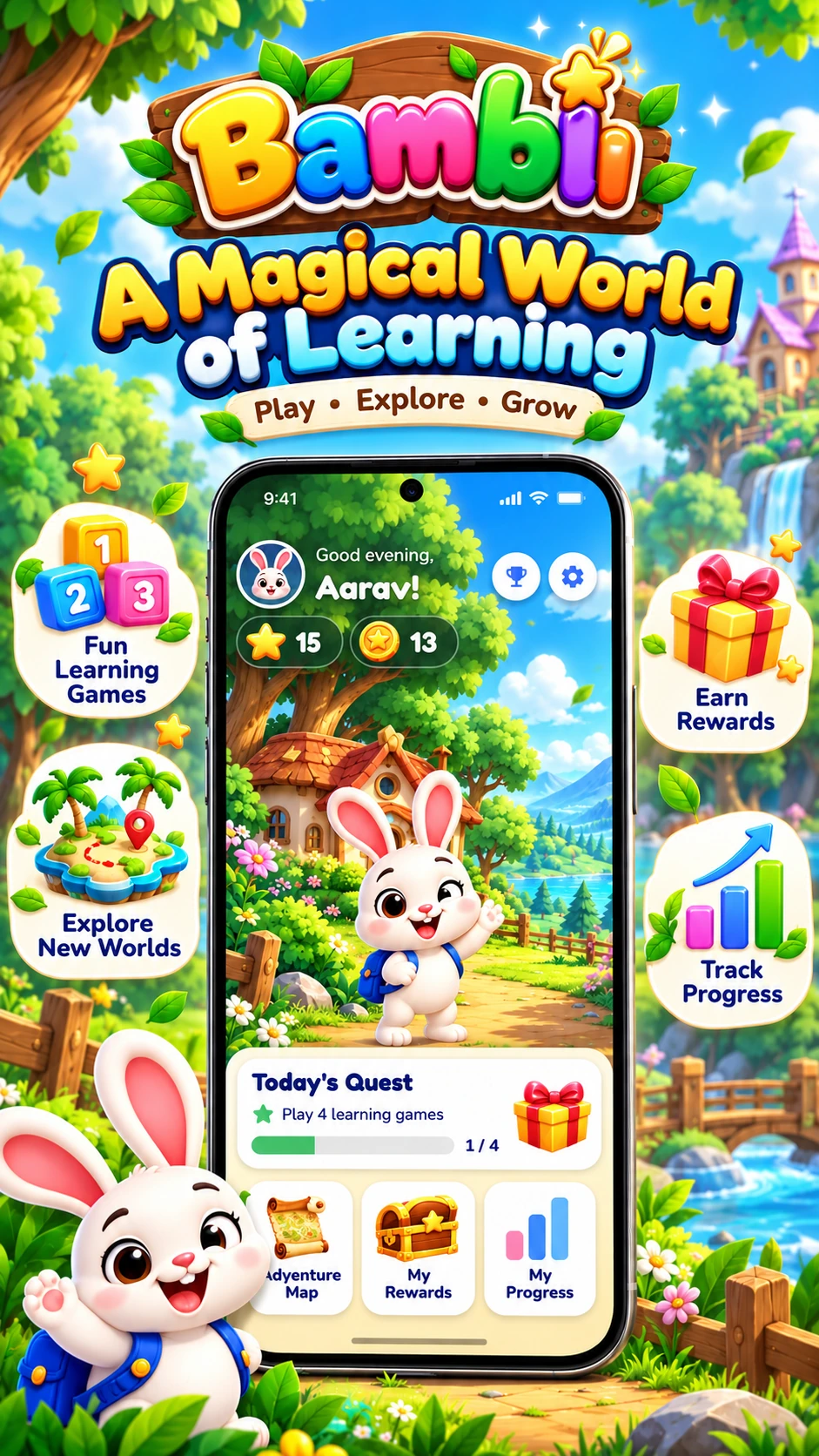
Bambli was designed to be a learning app a parent could hand over with minimal supervision — a small, self-contained platform of games spanning math, language, memory, and creativity, built around short sessions and visible progress rather than one-off flashcard drills.
Role
Product design, Flutter development, Play Store launch & content updates
Problem
Most kids' learning apps are either thin reskins of flashcards or packed with ads and paywalls that interrupt a child mid-activity, making them hard for parents to trust or kids to stay engaged with.
Result
Bambli shipped as a self-contained, ad-light learning platform that parents can hand to a child without supervising every screen.
User Research
Wireframes and Flow
Step 1
Designed a single hub screen where a child picks a game by icon alone, with no reading required to navigate.
Step 2
Prototyped a daily-quest card that surfaces one small, achievable goal each time the app opens.
Step 3
Built a reward and progress view using stars and simple visuals instead of numeric scores.
Design Decisions
Icon-first navigation
Every screen a child needs to act on relies on icons and illustration rather than text, since many users cannot read fluently yet.
Session, not screen time
Games are built to resolve in a few minutes with a clear "done" state, instead of open-ended infinite play.
Progress a child can see
Stars, streaks, and unlocked content make progress visible immediately rather than buried in a parent-only dashboard.
Development Approach
Architecture
End-to-end flow & key technologies
How Bambli is actually built — from the raw data source or input method, through the logic that processes it, down to what the user sees — with the specific tools behind each stage.
Presentation
01 / 04Icon-First Flutter UI
An illustrated, icon-driven hub screen lets a pre-reader pick a game by picture alone — no menus to read.
Game Modules
02 / 04Modular Mini-Game Engine
Each learning game — math, words, memory, creativity — is a self-contained module plugged into the shared hub, so new games drop in without reworking navigation.
Local Data
03 / 04On-device Progress Store
Stars, streaks, and quest completion are saved locally, so the app works fully offline with no account or login.
Engagement Layer
04 / 04Daily Quest & Reward Logic
Reads saved progress to surface one small, achievable quest each time the app opens, and reflects streaks back in the hub UI.
Challenges and Solutions
Designing for pre-readers
A large share of the target audience cannot reliably read instructions or menu labels yet.
Replaced text-heavy UI with icon- and voice-guided interactions, testing comprehension with non-reading-age testers.
Maintaining engagement without ads or pressure
Most free kids apps monetize through ads or pressure to upgrade, which works against a calm, trustworthy experience for young children.
Kept the core game loop ad-light and reward-driven through in-app progress rather than external interruptions.
Outcome
Live
Published and maintained on Google Play
4
Learning game categories: math, words, memory, creativity
Daily
Quests designed to encourage consistent engagement
Final outcome
Bambli launched as a cohesive learning platform rather than a loose bundle of mini-games.
The icon-first, voice-guided design made the app usable by children well before typical reading age.
Daily quests and visible progress gave the app a reason for continued use rather than a one-time interaction.
Key Features
Tech Stack
Why it worked
The solution aligned product strategy, UX hierarchy, and engineering discipline so users got a simpler experience and the team gained a more durable delivery foundation.